著手

Native macOS · Fully offline

Point it at your repo.
Get a submission that fits the rules.

Registering software copyright in China requires a source code exhibit: the first and last 30 consecutive pages, at least 50 lines per page, a running header carrying the exact software name and version. Miss one detail and the filing comes back for correction. Zhushou turns those rules into a local pipeline and flags the risks before you export.

DownloadComing to the Mac App Store
Guide

Requires macOS 14 or later

Your source tree

Source code exhibit

Zhushou Filing Assistant V1.01

Filings usually bounce on formatting, not on code quality

Every requirement below is checked before you export.

What the registry asks forWhat Zhushou does
First and last 30 consecutive pages, 60 totalPast 3,000 lines it takes the first 1,500 and last 1,500, each half kept continuous
At least 50 lines per pageChunks at exactly 50 lines in memory and writes explicit page breaks, rather than shrinking line spacing to fake a full page
Header shows the full software name and versionWritten into the document header; a name without a version number is flagged during the check
Page 1 starts the program, page 60 ends itExtraction is anchored to the first line of the first file and the last line of the last file
No blank lines, no padding the page count with commentsA character-level state machine strips comments and blank lines; a // inside a string literal is left alone
The final page is at least two-thirds fullThe checker counts the last page and warns when it falls short
Attribution must match the copyright holderScans every @author and Copyright line, lists the ones that disagree, and can drop those files from the filing in one click

Compiled from the published Regulations on Computer Software Copyright Registration and publicly stated review practice of the Copyright Protection Centre of China. This is not legal advice; the registry has the final say.

Five steps, from a folder to a document

You see the result at every step. Nothing disappears into a black box.

  1. 1

    Import project and software details

    Drop in a folder, then enter the full software name and copyright holder. Those two drive the header and the attribution check, so they come first. Multiple folders can go into one filing.

  2. 2

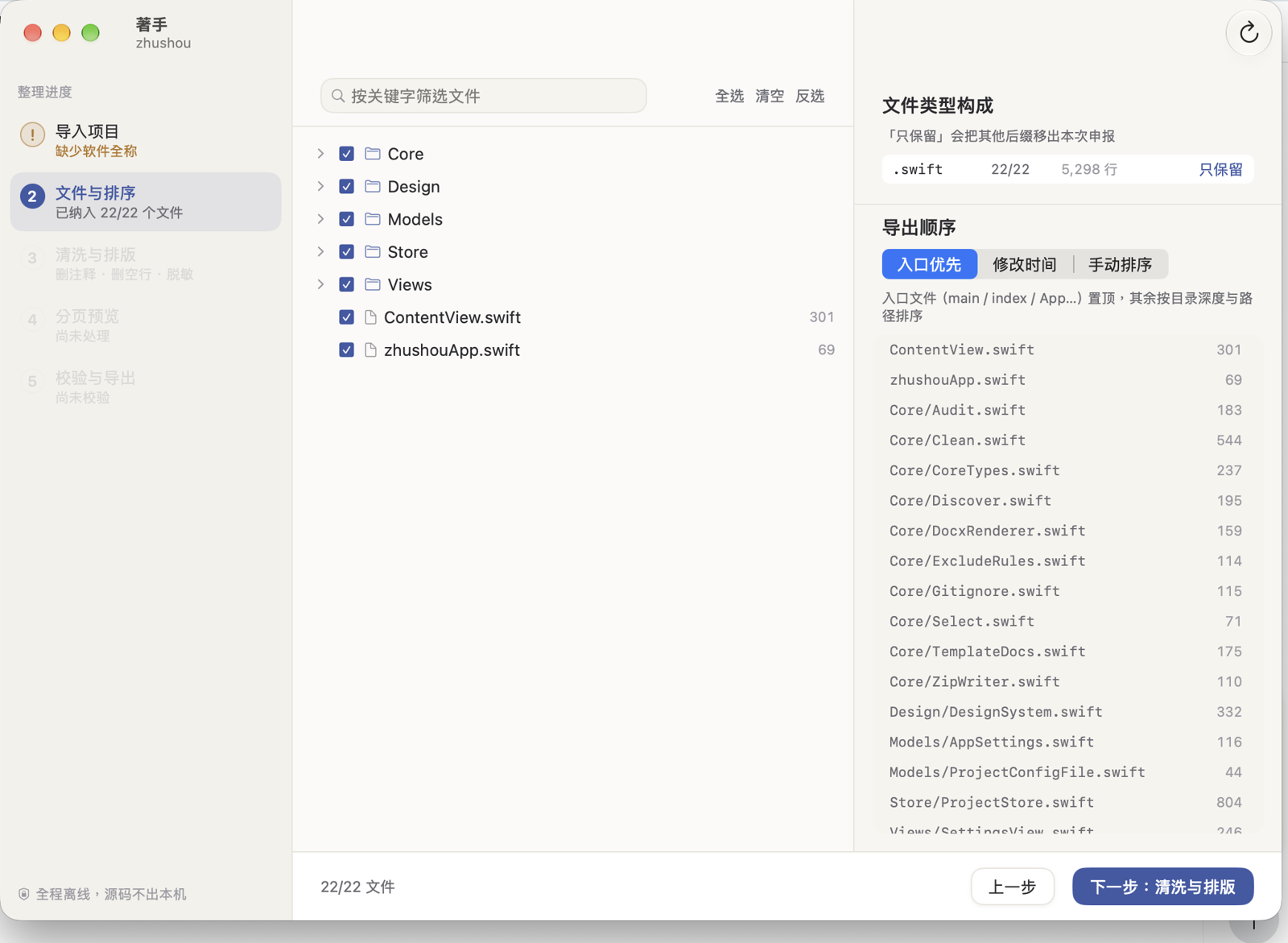
    Files and order

    Tri-state selection over the directory tree, a breakdown by file extension, and a one-click keep-only filter. Entry files float to the top, or drag to order them yourself.

  3. 3

    Clean and format

    Strip comments and blank lines, expand tabs, hard-wrap at 78 columns, redact secrets. Change a rule on the left and the before/after diff updates on the right.

  4. 4

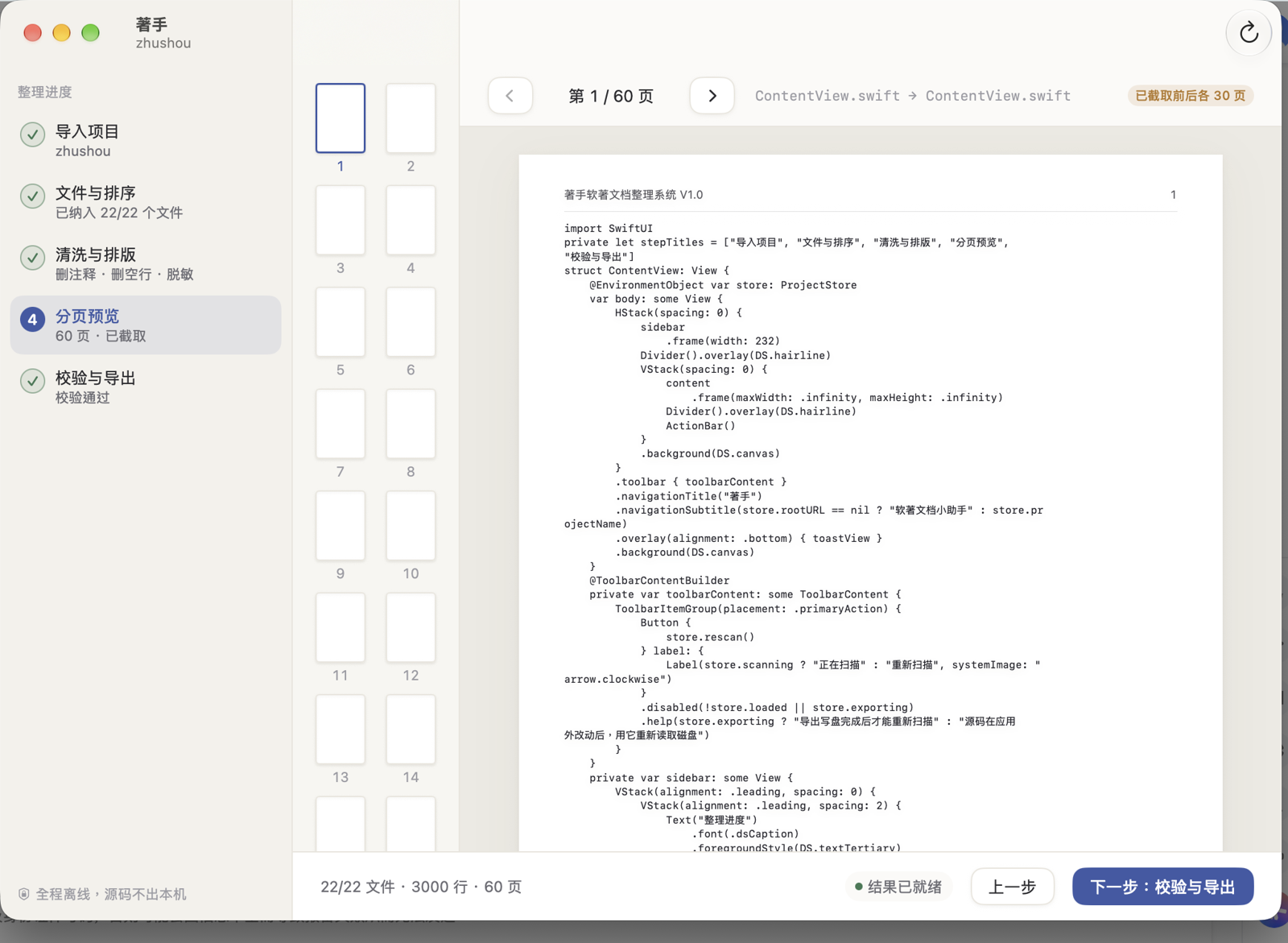
    Page preview

    A4 simulation with real headers and page numbers, thumbnails marking the seam between the two halves. Pages holding trade secrets can be covered individually.

  5. 5

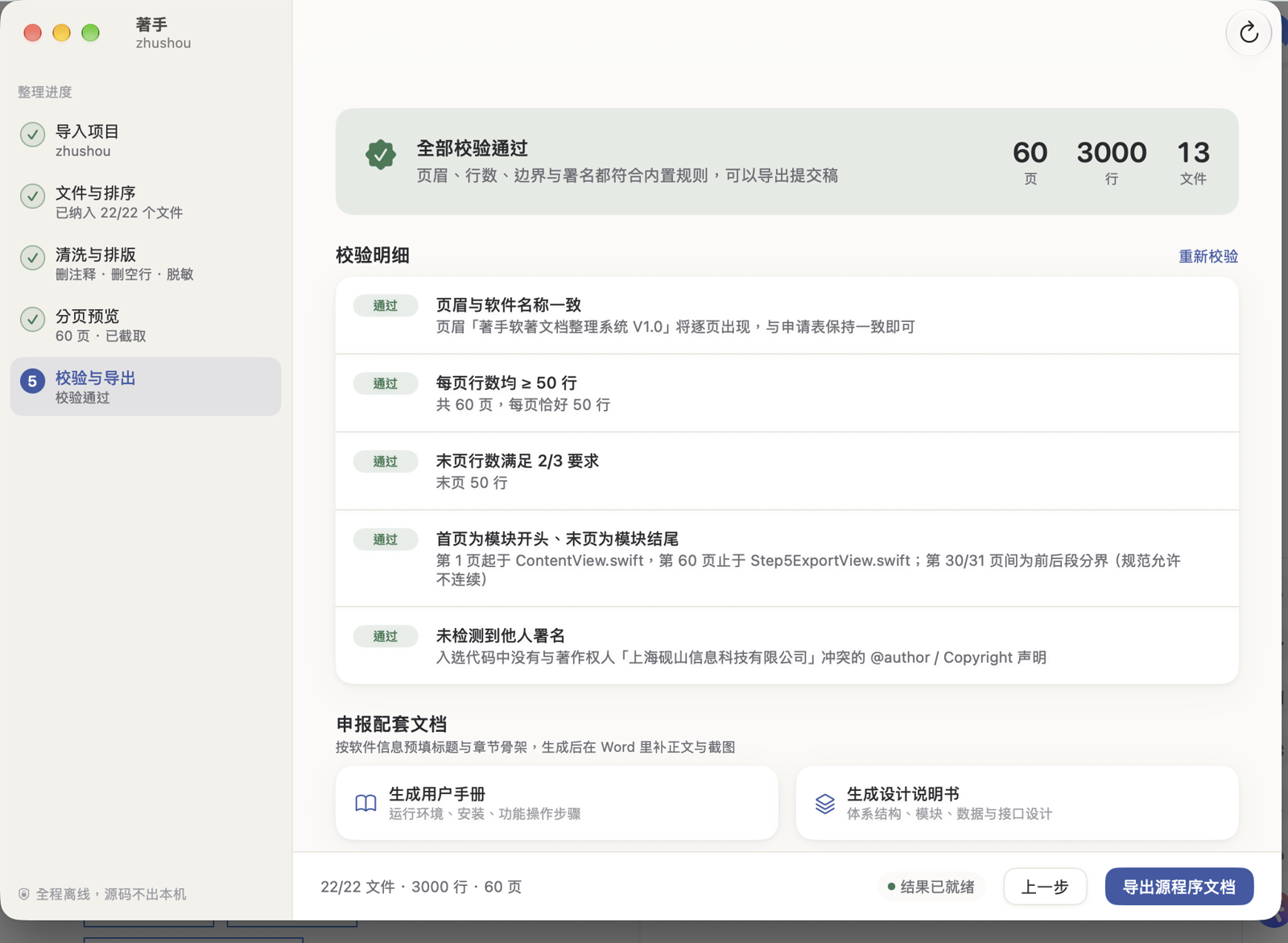
    Check and export

    A three-level verdict: pass, warning, or rejection risk. Findings link to the offending file, and several can be fixed in one click. Then export docx and txt.

The app

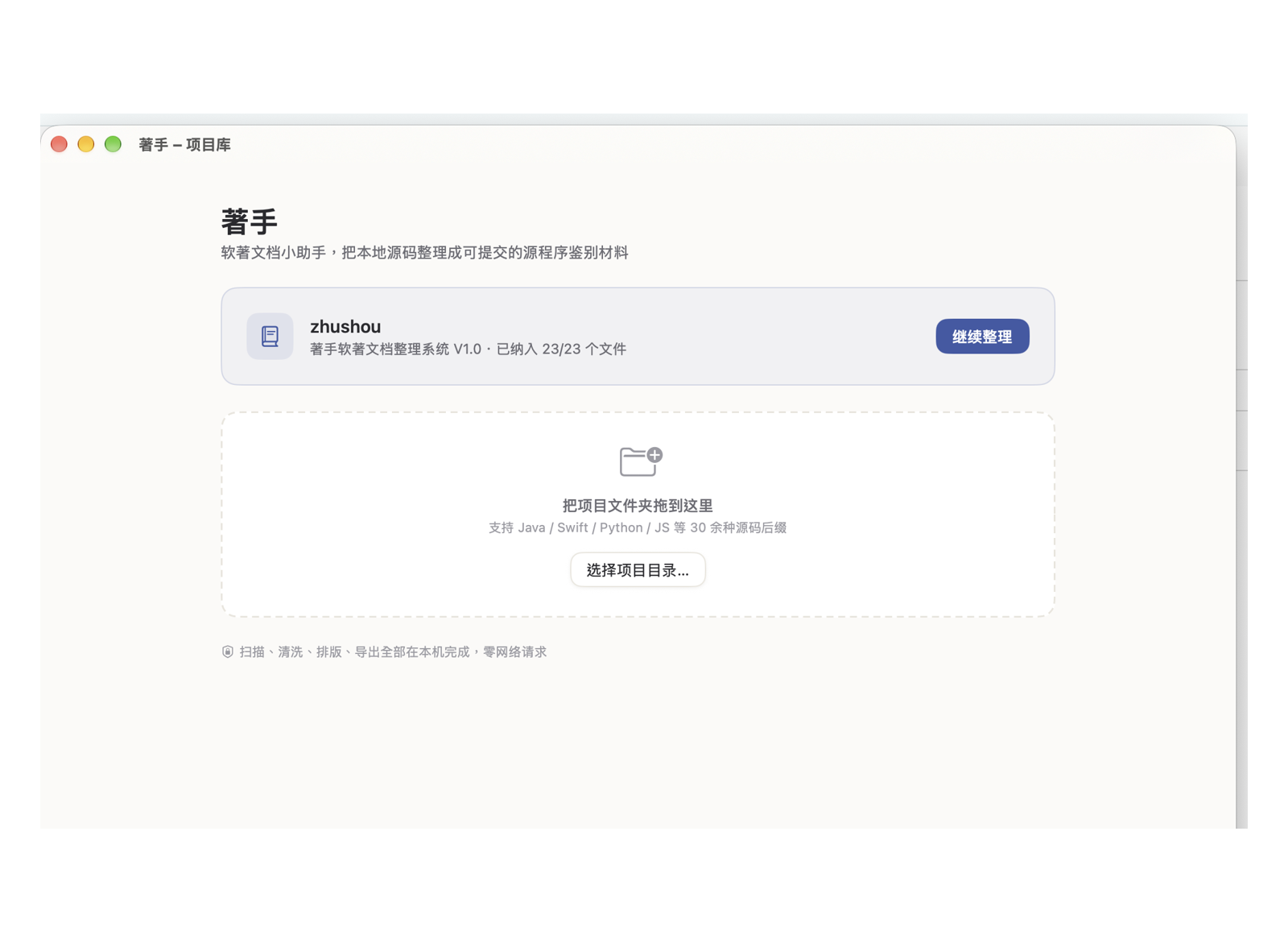
Screenshots taken from a running build.
Your code never leaves the machine

Scanning, cleaning, formatting and export all run locally; your source code is never sent anywhere. No account, no telemetry, and no server you have to trust, because Zhushou has no server at all.

Code never leaves

Scan through export runs entirely on your Mac

No account, no telemetry

Nothing to sign up for, no usage analytics, no crash reporting

No servers of ours

The optional tip is handled by the App Store; we never see payment details

Also in the box

Secret redaction

Detects API keys, passwords, private IP addresses and mainland mobile numbers, replacing them with placeholders. Add your own regular expressions as needed.

Restricted deposit

Pages containing trade secrets can be blacked out before submission. Cover more than half the pages and the app stops you, because that exceeds the allowed ratio.

Companion document templates

Generates the chapter skeleton for the user manual and design specification from the software details you already entered; fill in the prose and screenshots in Word.

Multiple applicants

Store the copyright holders and incorporation dates you file under, and apply one to a project in a single click.

Project library

Projects you have worked on stay in the library. Settings travel with the project in a .zhushou.json file inside the folder.

Dark mode

Follows the system. The page preview stays easy on the eyes in the dark.

Get those hours back

Zhushou will not tell you whether your filing will be approved. It makes sure the formatting is not the reason it is refused.

DownloadComing to the Mac App Store

macOS 14 or later · English / 简体中文 / 繁體中文